Maily
SECURITYMaily 0.10.1 is a security update: install it MCPThe mail layer for your AI stack

All your mailboxes. Every AI. One connection.

Maily plugs the mailboxes you choose into every AI that speaks MCP on your computer: Claude, GPT, Gemini, open models, your own agents, your second brain. Any model, as long as its app runs local MCP servers, and whatever account each one is signed in with. Built for your AIs first, with a clean mail window included.

Version 0.10.1 · Free, public source code · No Maily server, no Maily account · Install steps for every system

Your Gmail, Google Workspace and IMAP mailboxes connect once to Maily, on your computer; Claude, GPT, your agents and your second brain all reach them through it.

Works with every AI that speaks MCP

  • Claude
  • GPT
  • Gemini
  • Llama
  • Mistral
  • Ollama

Through Claude Desktop, Claude Code, Codex, Gemini CLI, Cursor, GitHub Copilot in VS Code, LM Studio, or any app that runs local MCP servers. The model is your choice; the app only needs MCP.

MCP tools
9
Interface languages
5
Themes, light and dark
4
Maily servers
0

The problem

Every AI app reaches your mail its own way

More and more people ask an AI to sort, summarize and answer their mail. Built-in connectors make it possible, one app at a time: each tied to the account you connected, each with its own limits, and your own agents left to wire up by hand. The more AIs you use, the more scattered it gets.

Tied to the account you connected

A hosted connector ties an assistant to the account you connected: Anthropic's help center says Claude's Gmail connector reaches "the Google account you've connected". With several Gmail addresses, an IMAP provider and more than one assistant, you set up a connector in each app and none of them sees the whole picture.

Another service reaches your mailbox

With a hosted connector, the provider's servers fetch your mail for the assistant. Anthropic states that data retrieved through its connectors is stored on its servers. Check the Google permissions a hosted Gmail connection asks for: a scope such as gmail.modify lets it read, compose and send email.

Limited actions

Connectors only do what their provider has built. Anthropic notes, for instance, that its Gmail connector sees attachment metadata only, not the files themselves.

Sources: Anthropic, Google Workspace connectors · Google, Gmail API scopes

Maily flips it around: your mail plugs in once, at the level of your computer, and every AI you use reaches it from there.

What you get

Connect once. Every AI reaches every mailbox.

Every AI, every mailbox

Add the mailboxes you choose to Maily once. Claude, GPT through Codex, Gemini, Cursor, your agents and any local MCP client then read, search, export and trash across all of them through nine tools, and send from Gmail accounts (IMAP accounts are read only). Whatever account each assistant is signed in with.

  • maily_list_accounts
  • maily_list_messages
  • maily_get_message
  • maily_search
  • maily_sync
  • maily_export_eml
  • maily_download_attachment
  • maily_trash
  • maily_send

Your second brain, wired to your mail

If you run a knowledge base or personal agents through an MCP assistant, Maily makes your mail one more source for them: find a thread, pull an attachment, cite a message, in the same conversation.

No middleman

Your mail stays with your provider. Maily talks to Google and your IMAP server directly, with your own OAuth client and passwords. No Maily server, no telemetry, tokens encrypted on disk.

Free, for good

Public source code, PolyForm Shield 1.0.0 license. No subscription, no paid tier, no Maily account to create. Tracking pixels blocked by default in the mail window.

In practice

Just ask, in plain words

What's unread across all my mailboxes this morning? Summarize it by account.

maily_sync maily_list_messages

Find the March invoice from my accountant, in whichever account it landed, and save the PDF.

maily_search maily_download_attachment

Read my thread with Camille and draft a reply from my work Gmail. Show it to me before sending.

maily_get_message maily_send

Add the decisions from this week's client emails to my notes.

maily_search maily_get_message + your notes tool

Examples. What the assistant does with the result depends on the assistant and its other tools.

How it works

Your mail stays put. Maily is the bridge.

Your mail stays with your providers. Maily, on your computer, is the bridge every assistant plugs into.

  1. Your mail providers Gmail API · IMAP Google, Orange or any IMAP server. They keep holding your mail; Maily reaches them with your own credentials.
  2. On your computer Maily Connects every account once · synced local copy and search index · encrypted secrets · mail window.
  3. Your AIs Claude · Codex · Gemini CLI · Cursor · your agents Each one starts Maily's MCP server as a local process and reaches every account. No network port is opened.

With the stdio transport of MCP, the client launches the server as a subprocess and talks to it over standard input and output (MCP specification). What the assistant reads then goes into your conversation with it, like anything else you share.

What your assistant can do

The MCP server exposes nine tools that work across every account you added. Your assistant picks an account by its address or its name.

Maily MCP tools
ToolWhat it does
maily_list_accountsLists your accounts. The natural first call.
maily_list_messagesRecent messages of one account, unread only if you like. category is inbox (default), a Gmail category, archived or all.
maily_get_messageA full message: sender, recipients, date, body and attachment list.
maily_searchLocal full-text search in one account or all of them.
maily_syncFetches new mail now.
maily_export_emlSaves a message as a standard .eml file.
maily_download_attachmentSaves an attachment to disk.
maily_trashMoves a message to the trash. Reversible for Gmail (restore from the app); not restorable from Maily for IMAP, so ask your assistant to confirm first.
maily_sendSends an email from a Gmail account. Irreversible, so ask your assistant to confirm first.

The mail window

A clean mail app comes with it

Maily is built for your AIs first. The mail window is there when you want to check, read or reply yourself, and it keeps getting better.

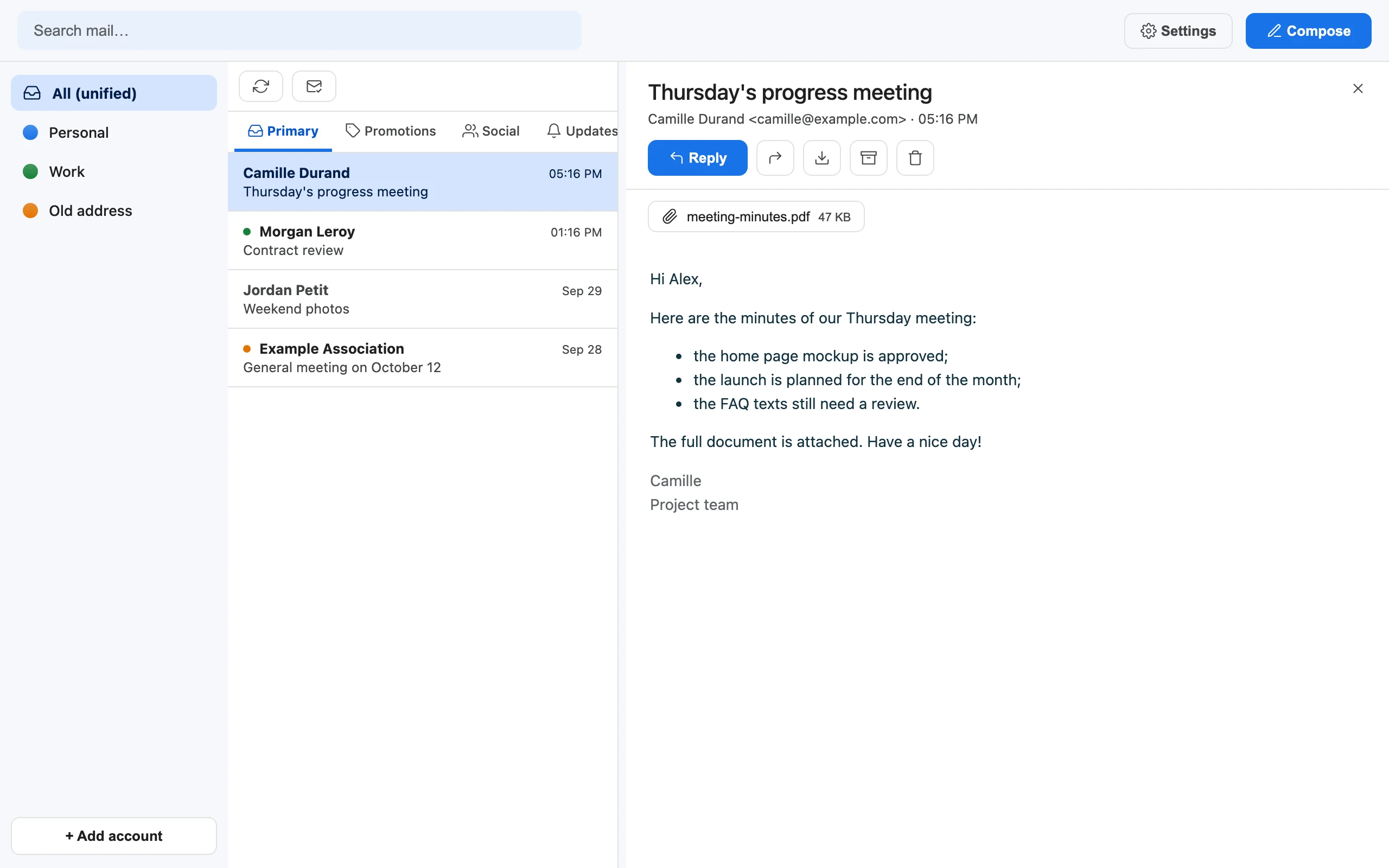
One inbox for every account

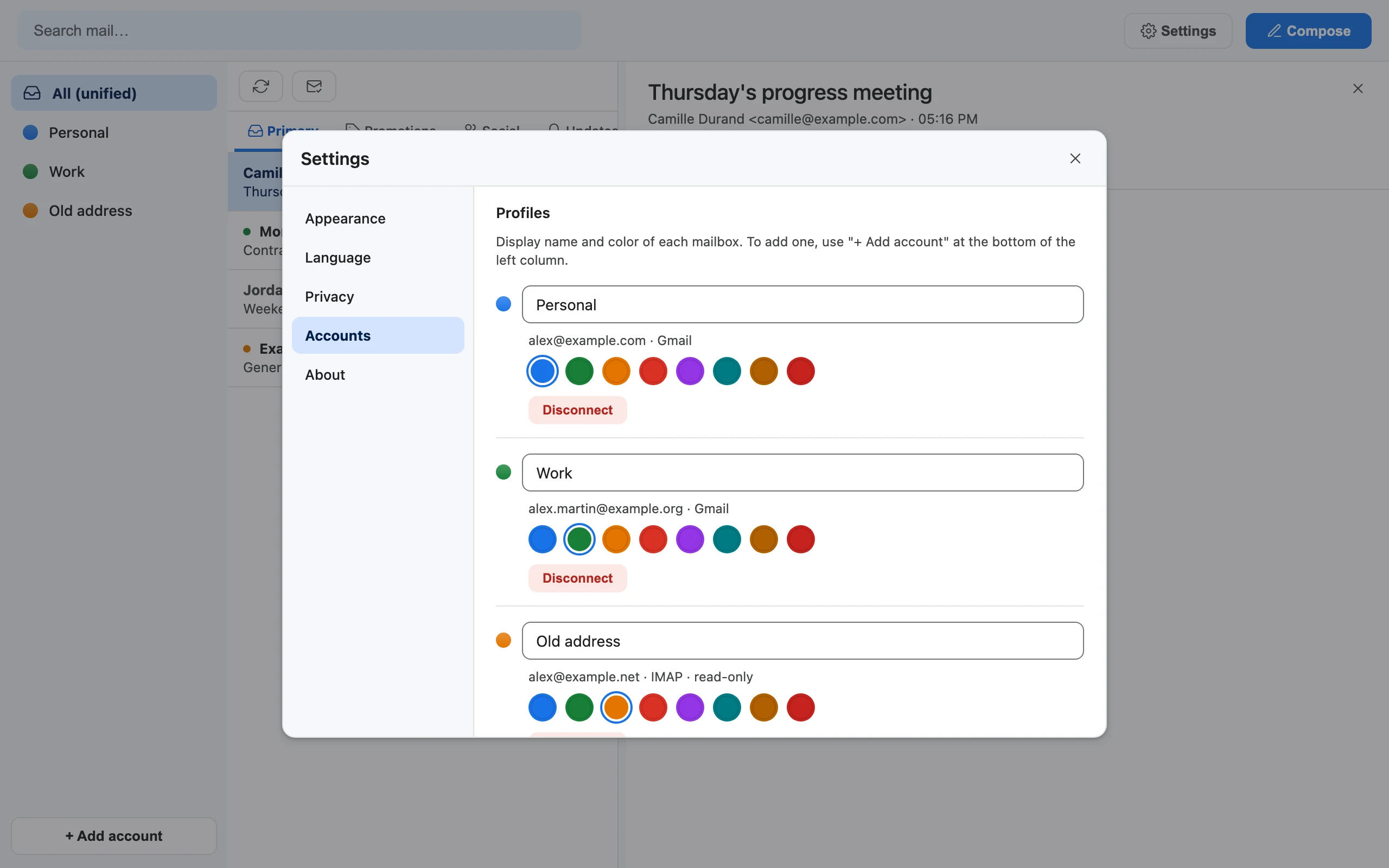
Gmail, Google Workspace and IMAP mailboxes side by side. Read everything in a unified view or one account at a time, each with its own name and color. Gmail categories, labels, archive and trash are all there; on Gmail, a trashed message can be restored in one click.

  • Instant, offline full-text search across all accounts
  • Automatic sync every 3 minutes while the app is open
  • Open any message in its own tab, export it as .eml
The unified inbox with three accounts, each marked with its own color.

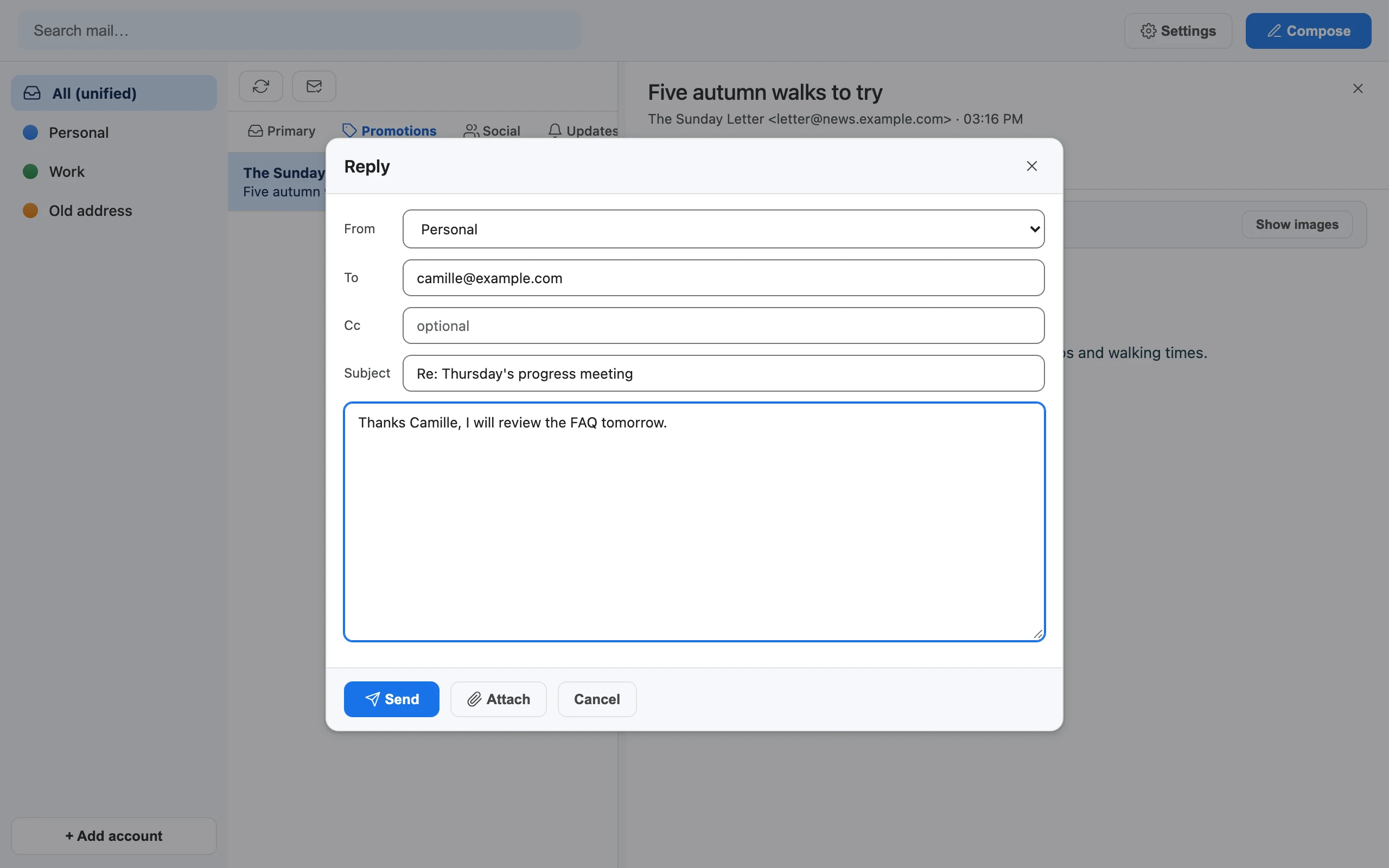
Write, reply and forward

A focused composer with attachments, a From selector across your Gmail accounts, and a send button in the color of the sending account, so you always know which address is speaking. Replies and forwards always start with Re: and Fwd:, whatever the interface language, so every mail client understands them. Sending works for Gmail accounts; IMAP accounts are read-only.

The message composer, with recipient, subject and body fields.

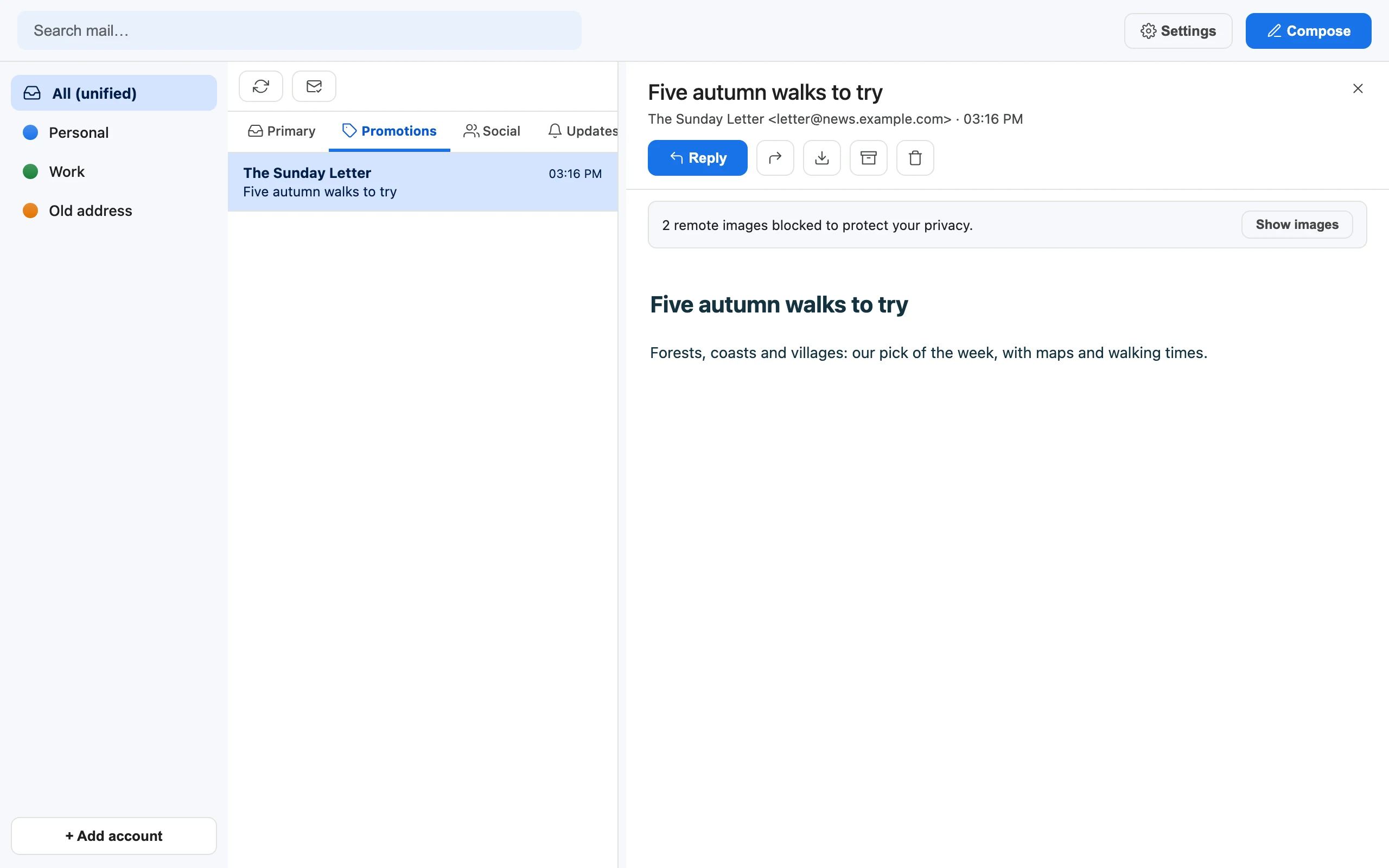
Tracking pixels blocked

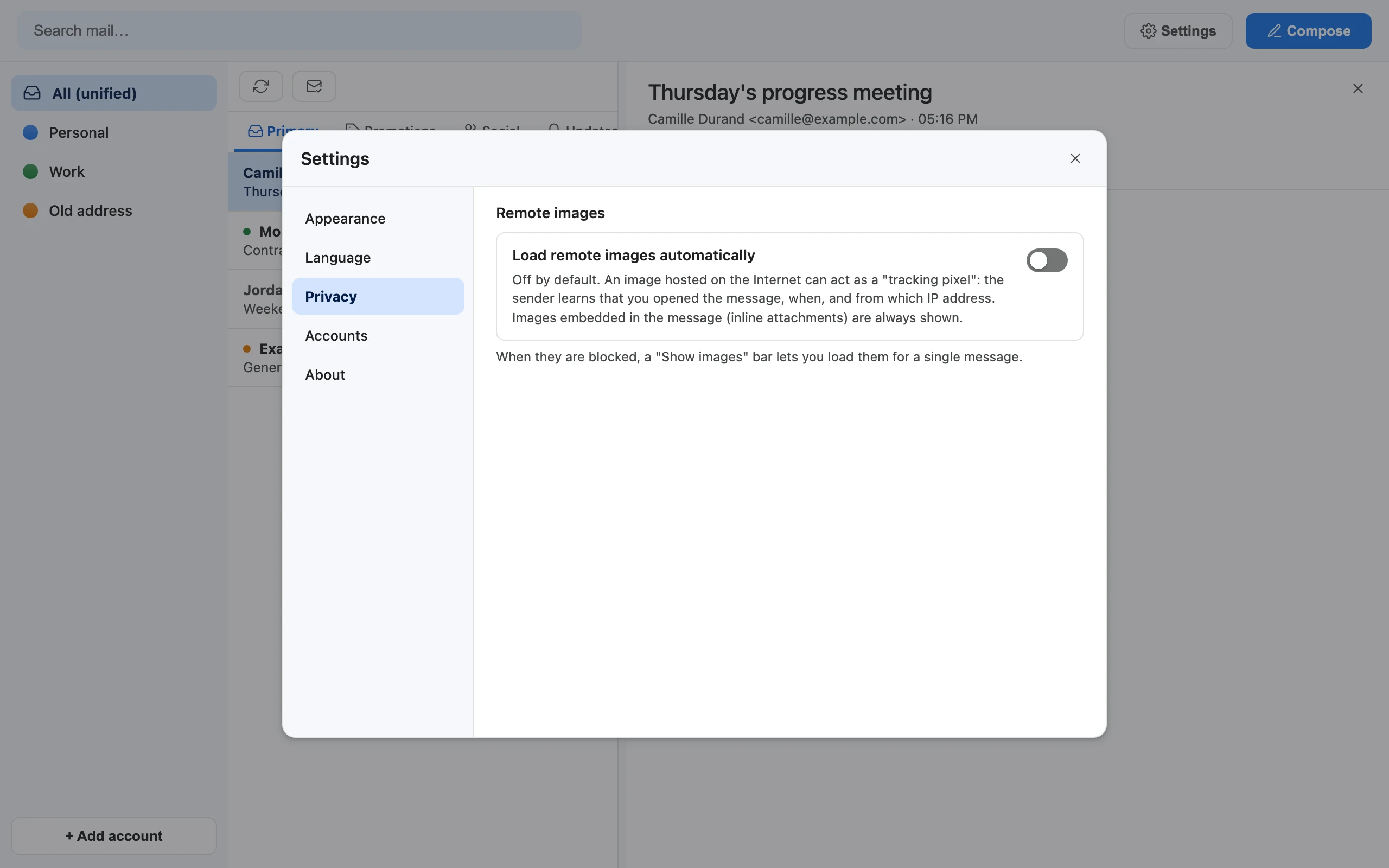
Remote images are not loaded unless you allow them, for one message or for all. A banner tells you how many were blocked. Messages are sanitized and shown in a sandboxed frame.

A message with a banner saying that remote images were blocked.

Make it yours

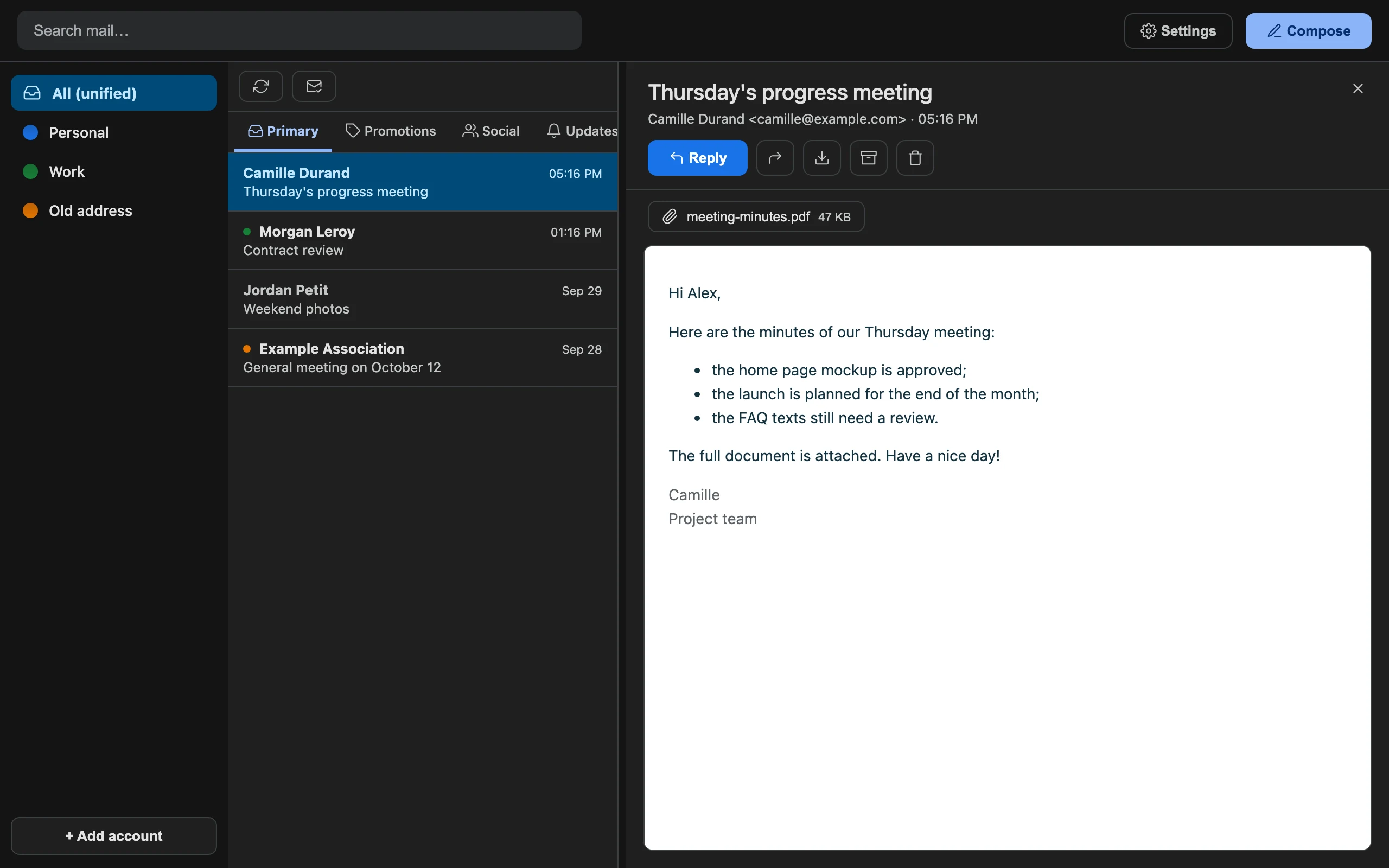
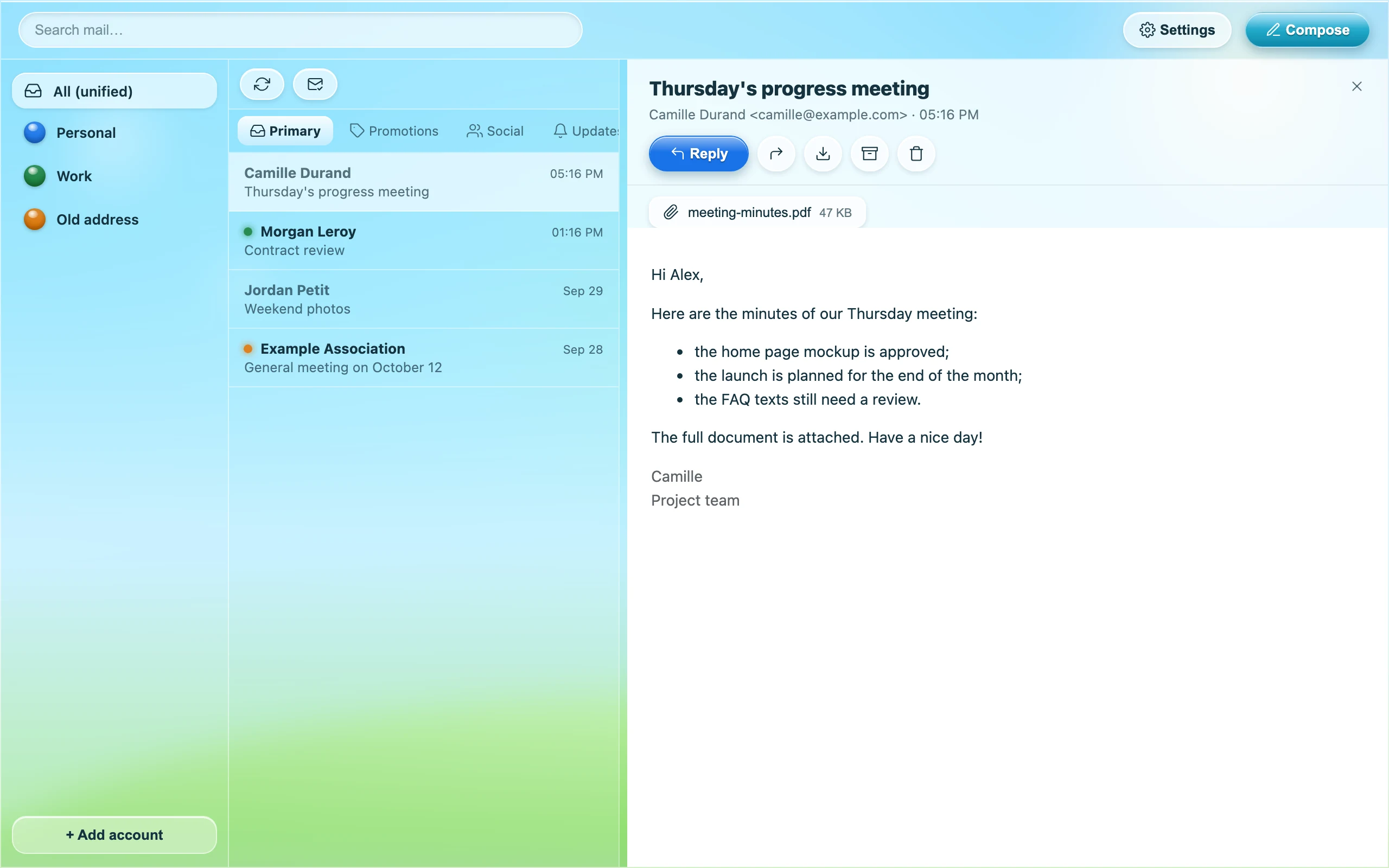
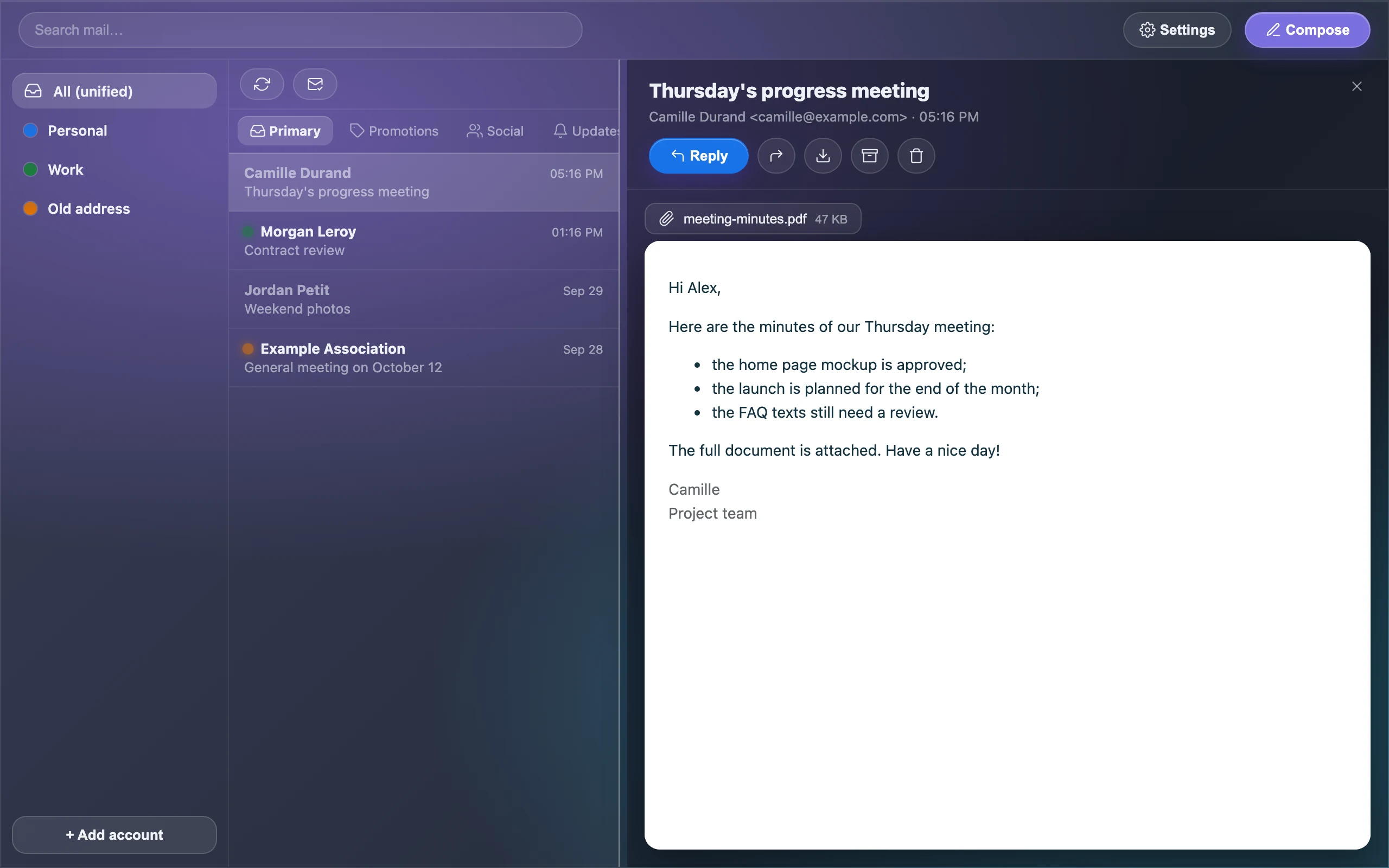
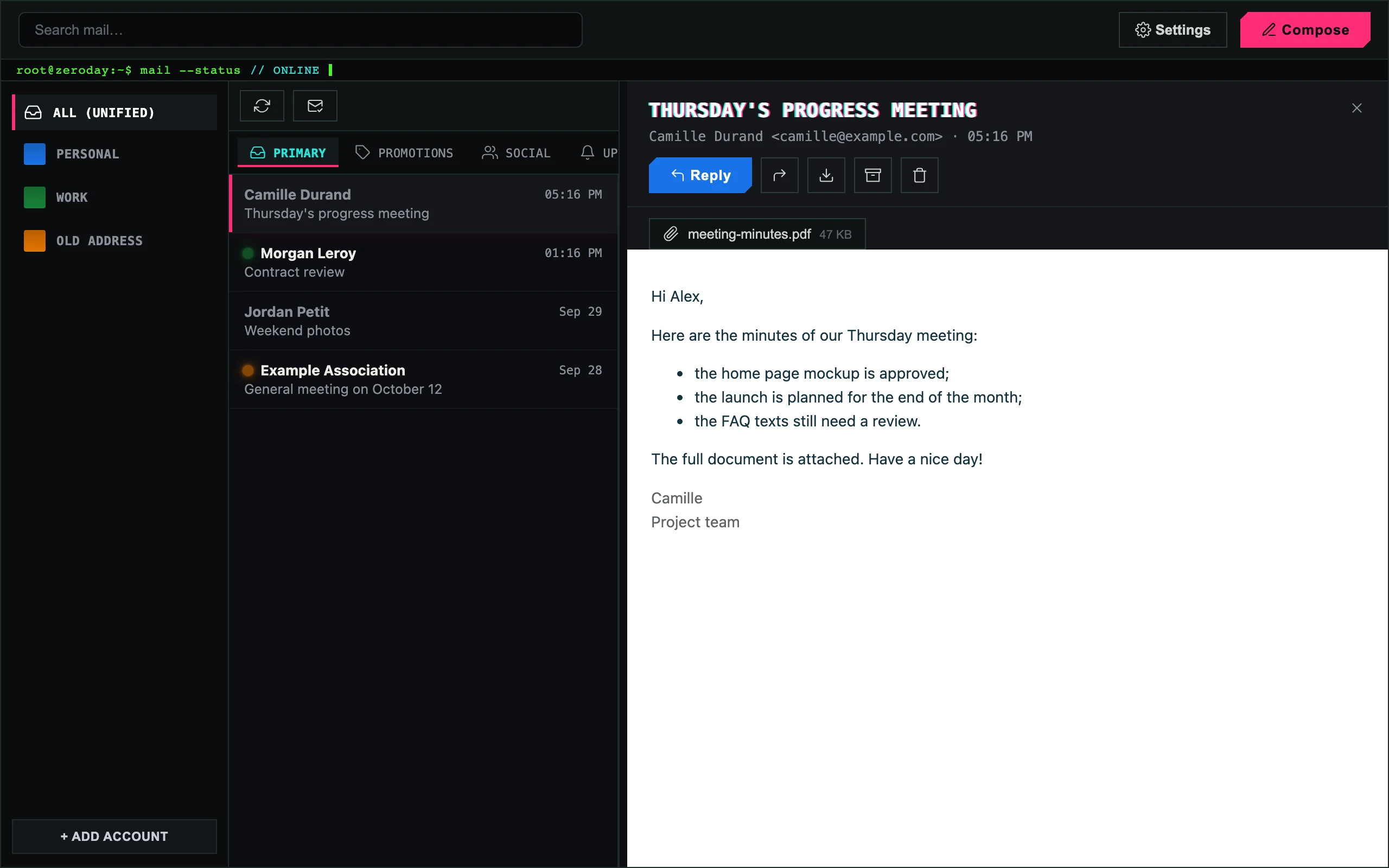
Four themes, light and dark

Classic (the default: flat and familiar, with a dark variant that follows your system), Frutiger Aero, Glassmorphism (native blurred glass on macOS) and Zero Day.

Maily with the Classic theme in dark mode.
Maily with the glossy Frutiger Aero theme.
Maily with the Glassmorphism theme: panels of blurred glass.
Maily with the dark, terminal-style Zero Day theme.

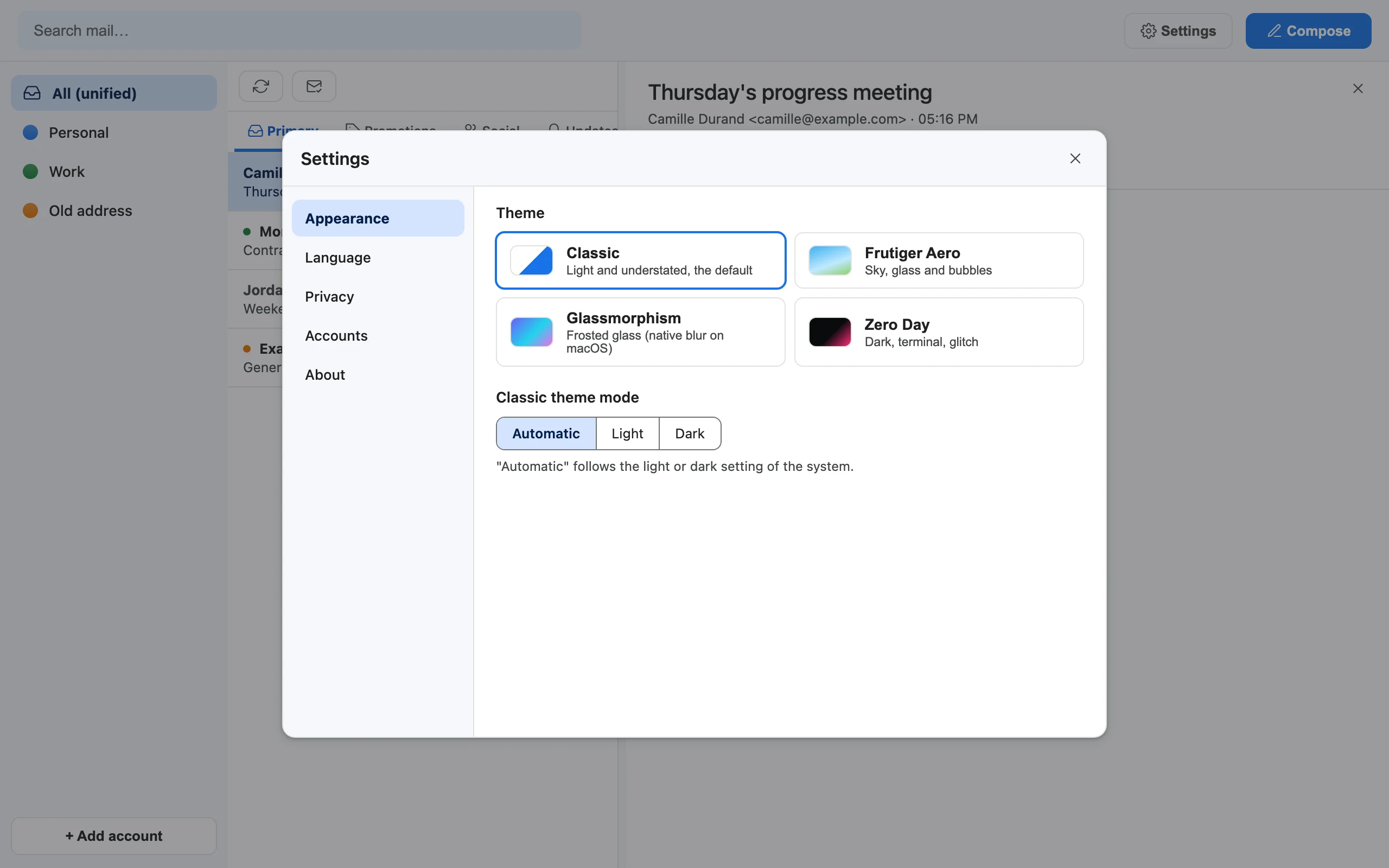
All your settings in one place

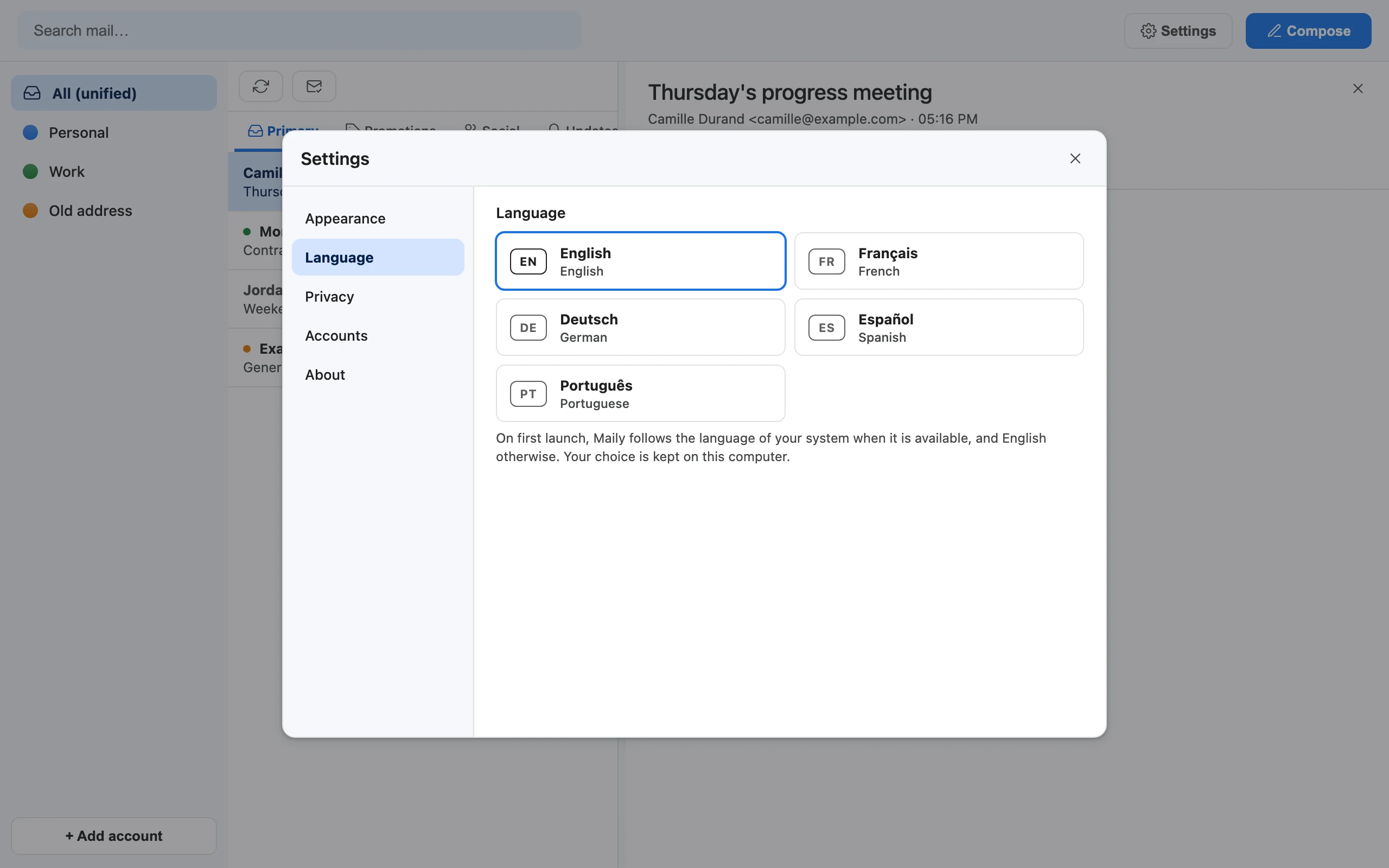
Appearance, language, privacy and accounts, each in its own tab, and every choice is kept between launches. The interface speaks English, Français, Deutsch, Español and Português: on first launch Maily follows your system language when it is one of these five, English otherwise, and a change applies at once, without restarting.

Settings, Appearance tab: theme and light or dark mode.
Settings, Language tab: English, Français, Deutsch, Español and Português.
Settings, Privacy tab: remote images off by default.
Settings, Accounts tab: name, color and disconnect for each account.

Quick start

Up and running in three steps

Three steps, about fifteen minutes, most of it in the Google Cloud console.

  1. Install Maily

    Get the app for macOS, Windows or Linux on the download page, or install it with one line in a terminal. The same line updates Maily later.

    macOS and Linux, in the Terminal

    curl -fsSL https://maily.thanaelfontaine.eu/install.sh | sh

    Windows, in PowerShell

    irm https://maily.thanaelfontaine.eu/install.ps1 | iex

    All downloads

    Or run from source, on any of the three

    You need uv and git. uv run maily is the launch command, each time you open the app. The MCP server for your assistant always runs from such a folder (step 3), and it shares its data with the downloaded app.

    git clone https://github.com/ThanaelFontaine/Maily
    cd Maily
    uv sync
    uv run maily
  2. Connect Google

    Maily uses your own OAuth client: create a free Google Cloud project, enable the Gmail API, publish the consent screen and create a Desktop app client. The step-by-step guide walks through every screen. Then add your accounts from the app. IMAP accounts only need the address and password.

  3. Add Maily to your AIs

    The MCP server runs from a clone of the repository, with uv, and uses the same data as the app. In Claude Desktop, choose Settings from the Claude menu in the macOS menu bar, open Developer, click Edit Config, add this with your own path, then restart Claude Desktop completely:

    {
      "mcpServers": {
        "maily": {
          "command": "uv",
          "args": [
            "--directory",
            "/absolute/path/to/Maily",
            "run",
            "python",
            "-m",
            "app.mcp_server"
          ]
        }
      }
    }

    In Claude Code, run:

    claude mcp add --scope user maily -- uv --directory /absolute/path/to/Maily run python -m app.mcp_server

    Codex, Gemini CLI, Cursor, VS Code, LM Studio and any other app that starts local MCP servers take the same command and arguments in their MCP settings. More clients, safety rules and recipes: docs/MCP.md.

Privacy and security

No server of ours. No telemetry. Your keys.

  • No Maily server. No Maily account, no analytics, no telemetry. Maily talks only to Google's APIs, your IMAP servers and, once a day, GitHub to learn whether a new version is out (you can turn that off). Its internal API listens on 127.0.0.1, on a random port, behind a random token.
  • Encrypted secrets. OAuth tokens and IMAP passwords are encrypted at rest, in files only your user can read.
  • Least privilege on Gmail. Two permissions: gmail.modify and gmail.send. Maily never deletes a message permanently, on Gmail or IMAP.
  • Sanitized HTML. No scripts, no dangerous links, filtered CSS, then a sandboxed frame. Remote images are off by default.
  • Optional Touch ID before the window opens on macOS.

What to keep in mind

When your assistant calls a Maily tool, the result becomes part of your conversation, so it is processed by whoever runs the model behind that assistant. Only connect assistants you trust.

Emails can contain text written to manipulate an AI. Tell your assistant to treat mail as data, never as instructions, and to confirm before sending or trashing.

This site counts its visits with Cloudflare Web Analytics, without any cookie or storage in your browser.

Encryption at rest protects against casual copies, not against malware running as your user. Full-disk encryption is recommended. Details in SECURITY.md.

FAQ

Questions, answered

Something missing? Open an issue on GitHub.

I already connected Gmail in my AI app. Why Maily?

A built-in connector is set up in one app, for the account you connected there, and what it retrieves goes through its provider (Anthropic, for instance, stores connector data on its servers). Maily is set up once on your computer and sits under all your local assistants at once: the mailboxes you choose, whatever account each assistant runs on, with your own OAuth client. Your agents and your second brain get the same nine tools as Claude. The trade-offs: it only serves assistants on that computer, and the MCP server runs from a source folder.

Is Maily a mail client?

Not first. Maily is built so that your AIs can read your mail and work with it. The mail window is there to check, read and reply yourself, and it keeps improving; if it becomes your everyday mail app, all the better, but that is not its main job today.

Which AIs can use it? Does it work with ChatGPT?

Any app that can start a local MCP server (stdio) on your computer, whatever model it runs: Claude Desktop and Claude Code (Claude), Codex (GPT), Gemini CLI (Gemini), Cursor and GitHub Copilot in VS Code (several providers), LM Studio (open models such as Llama, Mistral or Qwen), and your own agents. Apps that only accept remote connectors cannot start it: the ChatGPT app, for instance, connects to remote MCP servers only (OpenAI). To use GPT models with Maily, go through Codex or another local MCP app.

Is it free?

Yes. Maily's source code is public, under the PolyForm Shield 1.0.0 license: anyone may use, modify and share it, but nobody may provide a product that competes with it, even for free (reselling it, a hosted service). There is no subscription and no paid tier. Versions up to 0.9.0 were released under the MIT license and remain available under it. On Google's side, standard use of the Gmail API is available at no additional cost (Gmail API quotas).

Does my mail stay on my computer?

Your mail stays where it already is: with your provider (Google or your IMAP host), which keeps holding it. Maily keeps a synced copy on your computer, a cache and a search index, so it can be fast and work offline; that copy is a technical detail, not the point. Maily itself only talks to Google's APIs and your IMAP servers, and there is no Maily server. When an assistant reads a message through Maily, that content goes into your conversation, so it is processed by whoever runs the model behind that assistant, like anything else you share with it.

What is Maily not?

Not a mail host: it does not replace Gmail or your IMAP provider. Not a backup service or a cloud connector: it has no server of its own. Not a way to keep mail away from your assistant's provider: what an assistant reads, it sees. Maily is an app on your computer that connects to the mailboxes you already have and lets every local assistant use all of them.

Does it work on Windows or Linux?

Yes. Each release has a macOS installer, a Windows zip and a Linux archive (install steps), and the source runs on all three. macOS is the most tested platform; Touch ID and the native blur of the Glassmorphism theme are macOS only. On Linux the window needs GTK and WebKit2GTK: see docs/BUILD.md.

Does it need Google verification?

No. The OAuth client is yours, and Google lets apps for personal use (fewer than 100 users) skip verification. You will see an "unverified app" screen the first time: that is expected, since the app is your own. Publish the consent screen rather than leaving it in "Testing", where Google makes refresh tokens expire after 7 days (verification exceptions, refresh token expiration).

Can Maily or my assistant delete my mail for good?

Not on Gmail: trash is reversible there (Restore), and Maily never asks Google for permanent deletion. On an IMAP account, trashing moves the message to the server's trash folder and Maily cannot restore it, so treat it as final from Maily's side; on an account without a trash folder, Maily refuses to trash and changes nothing. Disconnecting an account only removes Maily's local copy and secrets; your mailbox is untouched.

Why can't I send from an IMAP account?

IMAP reads mail; sending would need SMTP, which Maily does not implement yet. Contributions are welcome.


Plug your mailboxes in once

Then every AI on your computer can use all of them. Free, public source code, and ready in about fifteen minutes.

Maily's source code is public, under the PolyForm Shield 1.0.0 license (not open source in the OSI sense). Read the code, open an issue, translate or send a pull request: the frontend is plain HTML, CSS and JavaScript, with no build step. How to contribute.